



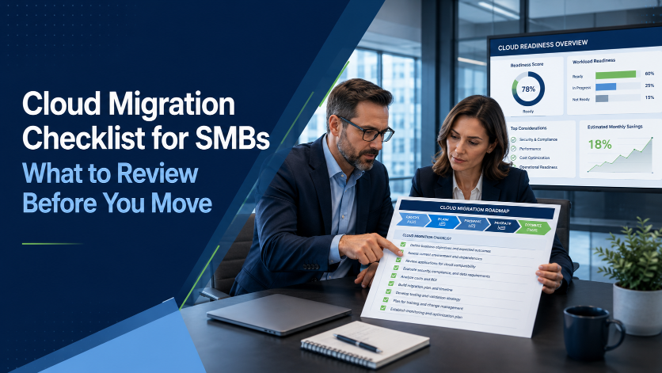
Moving to the cloud can be one of the most important technology decisions a small or mid-sized business makes.
A well-planned cloud migration can improve flexibility, strengthen security, reduce hardware dependency, and create a more resilient foundation for growth.
But a poorly planned migration can create disruption, unexpected costs, access issues, and security gaps.
That is why cloud migration should not begin with the question, "What should we move?" It should begin with a structured checklist that helps business leaders understand their current environment, identify risks, and build a practical migration plan.
This checklist will help SMBs evaluate what needs to be reviewed before moving from on-premise systems to the cloud.
Cloud Migration Checklist: Quick Overview
A cloud migration checklist helps businesses evaluate their systems, users, data, applications, security controls, and business requirements before moving to the cloud.
For small and mid-sized businesses, this may include reviewing:
- Current servers and applications
- Microsoft 365 readiness
- User access and identity security
- File storage and permissions
- Backup and disaster recovery
- Remote access requirements
- Cybersecurity and compliance needs
- Licensing and cloud cost expectations
- Migration timeline and employee impact
The goal is to make sure the migration is planned around the business, not just the technology.
A successful cloud migration should reduce risk, minimize disruption, and create a better long-term operating environment.
Why a Cloud Migration Checklist Matters
Cloud migration is not simply a matter of moving data from one place to another.
Your business may depend on file shares, applications, databases, permissions, remote access tools, backups, and employee workflows that have been built over many years. If those dependencies are not reviewed upfront, the migration can create avoidable problems.
A checklist helps ensure the migration is approached in the right order. It gives business leaders visibility into what exists today, what needs to change, and what risks should be addressed before the move begins.
Without that structure, businesses may end up recreating old problems in a new cloud environment.
1. Review Your Current Infrastructure
Before moving anything to the cloud, you need a clear picture of what currently exists.
This includes servers, storage devices, network equipment, backup systems, operating systems, and remote access tools. Many businesses discover during this step that they have outdated systems, undocumented dependencies, or hardware nearing end of life.
Key questions to ask:
- What servers are currently in use?
- Which systems are business-critical?
- What hardware is out of warranty?
- Are any operating systems unsupported?
- What systems depend on each other?
- Which services are still hosted locally?
2. Identify Business-Critical Applications
Applications are often the most important part of a cloud migration plan.
Some applications are cloud-ready. Others may require hosting in Microsoft Azure, remote desktop environments, vendor coordination, or modernization before they can move.
Business leaders should identify which applications are essential to operations and how employees use them.
Key questions include:
- Which applications are required every day?
- Are they vendor-hosted, locally installed, or server-based?
- Do they support cloud hosting?
- Are there licensing restrictions?
- Are there performance requirements?
- Does the vendor need to be involved in the migration?
3. Evaluate File Storage and Permissions
Many SMBs still rely on traditional file servers or mapped drives.
When moving to the cloud, file storage may shift to SharePoint, OneDrive, Teams, or another cloud-based platform. This can improve collaboration, but only if permissions and structure are planned carefully.
Before migrating files, evaluate:
- Which folders are actively used?
- Who owns each data set?
- Are permissions accurate?
- Are external sharing settings controlled?
- Is there outdated or duplicate data?
- Should files be reorganized before migration?
4. Review Microsoft 365 Readiness
For many businesses, Microsoft 365 is the foundation of cloud transformation.
Email, Teams, OneDrive, SharePoint, and security controls all play a major role in how employees work after migration. If Microsoft 365 is not properly configured, the cloud experience can be less secure and less efficient than it should be.
Review areas such as:
- Microsoft 365 licensing
- Multi-factor authentication
- Conditional Access
- SharePoint and OneDrive governance
- Teams structure
- Email security
- Data retention policies
- User roles and admin permissions
5. Assess Identity and Access Security
Cloud migration changes how users access systems.
That makes identity security one of the most important parts of the migration plan. If user accounts, passwords, MFA, admin roles, and access permissions are not reviewed, the migration can create security gaps.
Business leaders should ensure the migration plan includes:
- Multi-factor authentication
- Conditional Access policies
- Least-privilege admin access
- User access reviews
- Secure remote access
- Strong password and identity policies
- Monitoring for suspicious logins
Related Resources
For a broader look at how cloud security fits into your overall protection strategy, read our Cybersecurity for Small Businesses: The Complete Guide.
To learn more about ICG's cloud capabilities, visit our Microsoft Cloud Services for Small Businesses page.
6. Evaluate Backup and Disaster Recovery
Cloud migration does not eliminate the need for backup and recovery planning.
In some cases, it changes what needs to be backed up and how recovery should work. Microsoft 365, cloud servers, applications, and user data all need to be reviewed for protection and recovery requirements.
Questions to ask include:
- What data is currently backed up?
- How often are backups performed?
- Are backups tested?
- What is the recovery time objective?
- What is the recovery point objective?
- Does Microsoft 365 data require third-party backup?
- How would the business recover from ransomware or accidental deletion?
7. Review Compliance and Cyber Insurance Requirements
Many businesses now have cybersecurity, compliance, or insurance requirements that affect cloud design.
Cyber insurance providers may ask about MFA, backups, endpoint protection, patching, monitoring, and supported systems. Regulated industries may also need specific controls around data access, retention, audit logging, and security policies.
Before migrating, identify requirements related to:
- Cyber insurance
- HIPAA
- PCI
- Legal or financial records
- Client or vendor security expectations
- Data retention
- Audit logging
- Access control
8. Understand Cloud Costs and Licensing
Cloud costs should be planned carefully.
Cloud migration may reduce hardware costs, but it introduces recurring service costs for licensing, hosting, storage, backup, monitoring, and support. Without planning, businesses may be surprised by expenses after migration.
Review:
- Microsoft 365 licensing
- Azure hosting costs
- Storage requirements
- Backup costs
- Security tools
- Support and management
- User growth projections
- Existing software renewals that may be replaced
The goal is to understand the full cost picture before making decisions.
Cloud migration is not always about spending less. It is about spending smarter and reducing risk.

9. Build a Practical Migration Timeline
A successful migration should have a clear timeline.
The timeline should account for assessment, planning, testing, migration, user communication, training, and post-migration support. Rushing the process can increase risk and frustrate employees.
A practical migration plan should include:
- Discovery and documentation
- Risk and readiness assessment
- Migration design
- Testing and validation
- User communication
- Migration schedule
- Support during cutover
- Post-migration review
10. Plan the Employee Experience
Technology projects often fail when the user experience is overlooked.
Employees need to understand what is changing, how to access systems, and where to get help. Even a technically successful migration can feel disruptive if communication is poor.
Plan for:
- User announcements
- Login instructions
- File access changes
- Remote access changes
- Training materials
- Support contacts
- Go-live expectations
- Follow-up support
11. Decide What Should Not Move
Not everything should move to the cloud.
Some systems may be outdated, redundant, unnecessary, or better replaced with modern alternatives. Moving everything "as-is" can bring old problems into the new environment.
Before migration, identify:
- Unused applications
- Duplicate file shares
- Old user accounts
- Outdated servers
- Legacy workflows
- Redundant tools
- Data that can be archived
12. Confirm Post-Migration Management
After the migration is complete, the environment still needs ongoing management.
Cloud systems require monitoring, security reviews, licensing management, backup validation, access reviews, and regular optimization. Without ongoing management, cloud environments can become disorganized over time.
Post-migration management should include:
- Security monitoring
- License optimization
- Backup validation
- User access reviews
- Microsoft 365 governance
- Azure cost review
- Patch and update management
- Regular business reviews
What a Good Cloud Migration Partner Should Provide
A strong provider should bring structure, not just technical execution.
Before choosing a partner, business leaders should ask:
- Do you perform a full discovery before migration?
- Do you document our environment?
- Do you review cybersecurity controls?
- Do you evaluate licensing and costs?
- Do you provide a migration timeline?
- Do you help communicate changes to users?
- Do you test before cutover?
- Do you provide post-migration support?
- Do you help optimize the environment afterward?
A good migration partner should be able to explain the process clearly and help the business make informed decisions.
How ICG Helps Businesses Plan Cloud Migrations
ICG helps small and mid-sized businesses move from aging on-premise infrastructure to modern cloud environments with a focus on security, reliability, and business continuity.
Our approach starts with assessment and planning. We review your current infrastructure, applications, security posture, backup strategy, and business requirements before recommending a path forward.
From there, we help design and implement cloud solutions that may include Microsoft 365, Microsoft Azure, Azure Virtual Desktop, cloud backup, identity security, and modern access controls.
The goal is to make the migration practical, secure, and aligned with how your business operates.
The Bottom Line on Cloud Migration Checklists
Cloud migration is too important to approach casually.
A checklist helps business leaders move from uncertainty to clarity. It identifies what needs to be reviewed, what risks should be addressed, and what steps should happen before systems move.
For SMBs, the right cloud migration plan can improve flexibility, reduce infrastructure risk, strengthen security, and support long-term growth.
But the best results come from planning first and migrating second.

Ready to Plan Your Cloud Migration?
If your business is considering a move to the cloud, the best place to start is with a clear understanding of your current environment.
ICG can help you identify risks, evaluate readiness, and build a practical roadmap for moving forward.
Schedule Your Cybersecurity Posture Review:
No obligation. We'll help you identify risks, modernization opportunities, and practical next steps.
Related Questions Businesses Ask About Cloud Migration
What should a business assess before moving to the cloud?
Businesses should assess infrastructure, applications, user access, file storage, backups, cybersecurity controls, compliance needs, licensing, and employee workflows before moving to the cloud.
Is cloud migration disruptive?
It can be disruptive if poorly planned. With proper discovery, testing, communication, and support, cloud migration can be completed with minimal business disruption.
Should small businesses move everything to the cloud?
Not always. Some businesses benefit from a full cloud migration, while others may need a phased or hybrid approach. The right strategy depends on applications, data, security, and business needs.
Frequently Asked Questions About Cloud Migration for SMBs
What is a cloud migration checklist?
A cloud migration checklist is a structured list of items businesses should review before moving systems, applications, files, or infrastructure to the cloud.
Why do SMBs need a cloud migration checklist?
SMBs need a checklist to reduce risk, avoid disruption, understand costs, improve security, and ensure the migration supports business goals.
What is the first step in cloud migration?
The first step is assessing the current environment, including servers, applications, data, users, backups, security controls, and business requirements.
How long does cloud migration take for a small business?
The timeline depends on the complexity of the environment. Some migrations may take a few weeks, while more complex projects may require a phased roadmap over several months.
What are the biggest risks of cloud migration?
Common risks include poor planning, unexpected costs, application compatibility issues, data access problems, weak security configuration, and lack of user communication.
Can Microsoft 365 be part of cloud migration?
Yes. Microsoft 365 is often a key part of cloud migration because it supports email, Teams, SharePoint, OneDrive, identity security, and collaboration.
Is Azure the right cloud platform for SMBs?
Microsoft Azure can be a strong option for SMBs that need cloud-hosted applications, servers, remote desktops, backup, or scalable infrastructure. The right design depends on business requirements.
How do I know if my business is ready to move to the cloud?
The best way is to complete a cloud readiness assessment that reviews infrastructure, applications, security, backups, licensing, remote access needs, and employee workflows.




.png)