



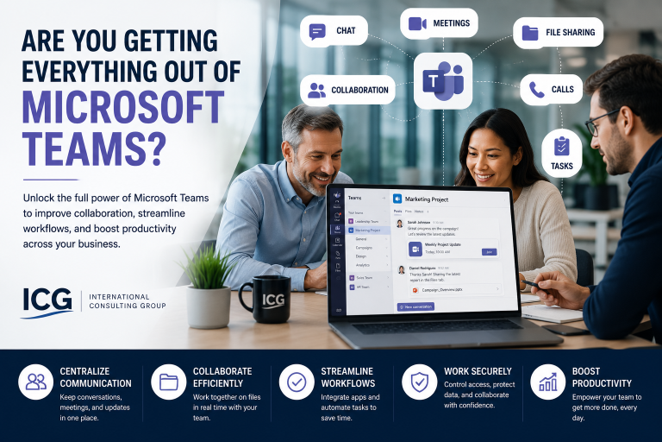
Microsoft Teams has become one of the most widely used tools inside Microsoft 365.
For many small and mid-sized businesses, it is used every day for meetings, chat, file sharing, and quick communication. But in many organizations, Teams is still being used as a basic messaging tool rather than a true productivity platform.
That means businesses may be paying for a powerful collaboration hub while only using a small portion of what it can do.
When Microsoft Teams is structured and configured correctly, it can help reduce email overload, improve project communication, centralize files, support phone system capabilities, and create a more organized way for teams to work together.
The question is not whether your employees are using Teams. The better question is:
Are they using Teams in a way that actually improves productivity?
Microsoft Teams for Small Business Productivity: Quick Overview
Microsoft Teams is more than a video meeting and chat application.
For small and mid-sized businesses, Teams can support:
- Internal chat and messaging
- Video meetings and webinars
- Department and project workspaces
- File collaboration through SharePoint
- Integration with Microsoft 365 apps
- Task and project coordination
- Phone system capabilities
- Workflow automation
- Secure external collaboration
- Centralized communication across teams and locations
The value of Teams depends on how it is organized.
Without structure, Teams can become cluttered and confusing. With the right approach, it can become a central workspace that helps employees communicate, collaborate, and find information faster.
Why Many Businesses Underuse Microsoft Teams
Most businesses adopted Microsoft Teams quickly.
For many organizations, Teams became essential during remote work, hybrid meetings, or day-to-day communication changes. But rapid adoption often means the tool was turned on before a long-term structure was created.
As a result, many businesses now have:
- Too many Teams and channels
- Duplicate workspaces
- Unclear file locations
- Inconsistent naming standards
- Poor external sharing controls
- Limited user training
- Confusion between Teams, SharePoint, and OneDrive
- Employees using Teams, email, and file shares inconsistently
This does not mean Teams is the problem.
It usually means the business never had a clear plan for how Teams should be used.
Teams Is Not Just Chat
Many employees think of Teams as a replacement for instant messaging.
Chat is useful, but it is only one part of the platform. If Teams is only being used for quick conversations, the business may be missing the bigger productivity opportunity.
Teams can serve as a workspace for departments, projects, leadership teams, client initiatives, internal processes, and recurring meetings. Each workspace can include conversations, files, meeting notes, tasks, apps, and collaboration tools in one place.
That can reduce the need to search through email threads, shared drives, and separate applications.
The goal is to make Teams the place where work happens—not just where messages are sent.
Common Ways Businesses Leave Value on the Table
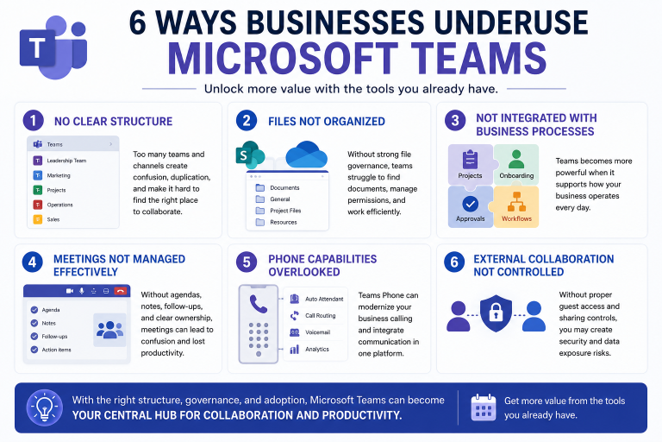
1. No Clear Team and Channel Structure
A common issue is uncontrolled Teams growth.
Employees create new Teams or channels without a naming standard, ownership model, or clear purpose. Over time, this leads to confusion and duplicate spaces.
A better structure should define:
- When to create a new Team
- When to create a new channel
- Who owns each Team
- How channels should be named
- Which Teams are department-based
- Which Teams are project-based
- When old Teams should be archived
Without structure, Teams becomes harder to manage as the business grows.
2. Files Are Not Properly Organized
Teams file storage is powered by SharePoint.
Many users do not realize that files shared in Teams channels are stored in SharePoint, while files shared in private chats are often stored through OneDrive. This can create confusion when users are trying to find documents later.
A strong Teams strategy should include file governance.
That means defining where files should live, how permissions are managed, how external sharing works, and who is responsible for maintaining document structure.
Teams can improve file collaboration, but only when the backend structure is organized.
3. Teams Is Not Integrated with Business Processes
Teams becomes more valuable when it supports how the business actually operates.
For example, Teams can be used to support:
- New employee onboarding
- Department communication
- Project coordination
- Leadership meetings
- Client service workflows
- Internal approvals
- Recurring operational checklists
- Training and knowledge sharing
When Teams is disconnected from daily workflows, employees use it only when convenient. When it is integrated into business processes, it becomes part of how work gets done.
4. Meetings Are Not Being Managed Effectively
Teams meetings are convenient, but they can also contribute to meeting fatigue.
Many businesses use Teams for meetings without establishing expectations around agendas, recordings, notes, follow-ups, and file sharing.
A better meeting structure may include:
- Clear meeting agendas
- Shared files in the meeting channel
- Recurring meeting notes
- Assigned follow-up tasks
- Recorded sessions when appropriate
- Clear ownership of next steps
Teams can help make meetings more productive, but only if the meeting process is intentional.
5. Teams Phone Capabilities Are Overlooked
Some businesses do not realize that Microsoft Teams can also support phone system functionality.
Depending on licensing and configuration, Teams Phone can help businesses modernize calling, voicemail, call routing, auto attendants, and user communication.
This may not be right for every organization, but it is worth evaluating if your business is already using Microsoft 365 heavily.
For some SMBs, Teams Phone can reduce the need for separate phone systems and create a more integrated communication experience.
6. External Collaboration Is Not Controlled
Teams makes it easy to collaborate with external users.
That flexibility is helpful, but it also needs to be controlled. Without proper settings and governance, external sharing can create security and data exposure risks.
Businesses should review:
- Guest access policies
- External sharing settings
- Which Teams allow external users
- Who can invite guests
- How guest access is monitored
- When external access should be removed
Secure collaboration should be easy for users, but not unmanaged.
Why Teams Governance Matters
Teams governance is the difference between collaboration and chaos.
Without governance, Teams can become a collection of conversations, files, and workspaces that are difficult to navigate. Employees may not know where to post updates, where to find documents, or which workspace is the official source of truth.
Governance does not need to be complicated.
It simply means creating clear rules for how Teams should be created, named, managed, secured, and archived. It also means training users on how to use Teams consistently.
Good governance helps Teams become easier to use, easier to manage, and safer for the business.
How Teams Connects to SharePoint and OneDrive
One of the most important things business leaders should understand is that Teams is closely connected to SharePoint and OneDrive.
When you create a Team, Microsoft creates a SharePoint site behind it. When files are shared in a Teams channel, those files are stored in that SharePoint site. When files are shared in private chats, they are typically stored in OneDrive.
That connection is powerful, but it also means Teams cannot be managed in isolation.
If SharePoint permissions, OneDrive sharing, and Teams guest access are not aligned, the business may create unnecessary data exposure. A Teams review should include file storage, access controls, and external sharing settings.
Related Resources
For a broader look at how Microsoft 365 security fits into your overall protection strategy, read our Cybersecurity for Small Businesses: The Complete Guide: https://www.icgi.com/blogs/cybersecurity-for-small-businesses-the-complete-guide
To learn more about how ICG helps businesses modernize with Microsoft cloud technologies, visit our Microsoft Cloud Services page: https://www.icgi.com/solutions/microsoft-cloud-services
What Business Leaders Should Review in Microsoft Teams
If your organization uses Teams every day, it is worth reviewing whether the platform is structured properly.
Ask yourself:
- Do we have too many Teams or channels?
- Do employees know when to use chat versus channels?
- Are files stored in the right places?
- Are SharePoint and OneDrive permissions properly aligned?
- Are external users controlled and reviewed?
- Are meetings organized with notes, files, and follow-ups?
- Are we using Teams for projects and departments effectively?
- Could Teams Phone replace or improve our phone system?
- Are users trained on how Teams should be used?
- Has Teams governance been reviewed in the last 12 months?
These questions help identify whether Teams is improving productivity or creating hidden complexity.
How ICG Helps Businesses Get More from Microsoft Teams
ICG helps businesses move beyond basic Teams usage and create a more structured collaboration environment.
Our approach includes reviewing your Teams structure, SharePoint and OneDrive connections, guest access settings, file sharing practices, user adoption, and workflow opportunities.
From there, we help identify practical improvements that make Teams easier to use and easier to manage.
This may include:
- Cleaning up old Teams
- Improving naming standards
- Reviewing external access
- Strengthening file governance
- Training users
- Evaluating whether Teams Phone makes sense for your organization
The goal is to help your business use Teams as a productivity platform—not just a chat tool.
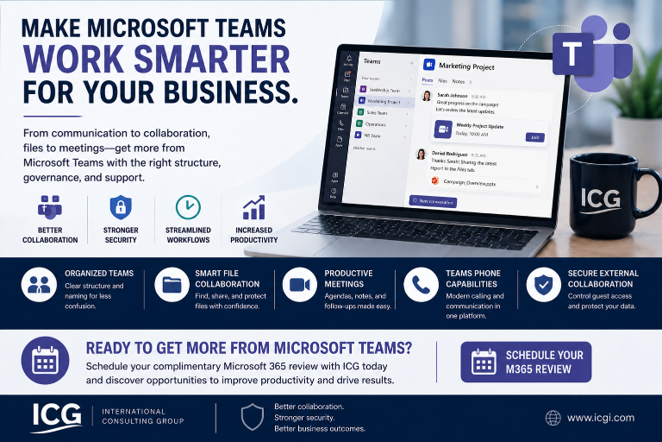
Ready to Get More from Microsoft Teams?
If your team uses Microsoft Teams every day, but collaboration still feels disorganized, it may be time for a structured review.
ICG can help you understand how Teams is being used today, where gaps exist, and how to make the platform more productive and secure.
Schedule Your Microsoft 365 Review:
No obligation. We'll help you identify practical opportunities to improve how your business uses Microsoft Teams and Microsoft 365.
Related Questions Businesses Ask About Microsoft Teams
Is Microsoft Teams only for chat and meetings?
No. Teams can support department workspaces, project collaboration, file sharing, workflow coordination, phone system capabilities, and secure collaboration with external users.
Does Microsoft Teams replace SharePoint?
No. Teams uses SharePoint behind the scenes for file storage in channels. Teams is the collaboration interface, while SharePoint provides the document storage and permissions structure.
Can Microsoft Teams replace our phone system?
In some cases, yes. Microsoft Teams Phone may be a good option for businesses that want calling, voicemail, auto attendants, call routing, and communication tools integrated into Microsoft 365.
Frequently Asked Questions About Microsoft Teams for Small Businesses
What is Microsoft Teams used for in small businesses?
Microsoft Teams is used for chat, meetings, file collaboration, project communication, department workspaces, phone system capabilities, and integration with Microsoft 365 tools.
Why is Microsoft Teams important for productivity?
Teams helps centralize communication, files, meetings, and collaboration. When structured properly, it can reduce email overload and help employees find information faster.
What are businesses usually missing in Microsoft Teams?
Many businesses underuse channels, structured workspaces, file governance, meeting tools, Teams Phone, guest access controls, and app integrations.
How does Teams work with SharePoint and OneDrive?
Files shared in Teams channels are stored in SharePoint. Files shared in private chats are typically stored through OneDrive. This makes file governance and permissions important.
Is Microsoft Teams secure?
Teams can be secure when properly configured. Security depends on guest access controls, file sharing policies, identity settings, permissions, and ongoing management.
How often should Microsoft Teams be reviewed?
Most businesses should review Teams at least once per year, or after major growth, staff changes, department restructuring, or Microsoft 365 changes.
What is included in a Microsoft Teams review?
A Microsoft Teams review may include workspace structure, channel organization, guest access, SharePoint and OneDrive permissions, file sharing, meeting practices, phone capabilities, and user adoption.





.png)